
how to sign yourrace waiver
ALL participants must have a signed race waiver in order to receive their race packet. If a waiver is not signed for a family member of friend that you are picking up for you will need to have them do this in order to take their race packet with you.
OPTION ONE: Sign Waiver Electronically before Race Week (recommended)
Sign into your RunSignUp Account
Go to your Profile
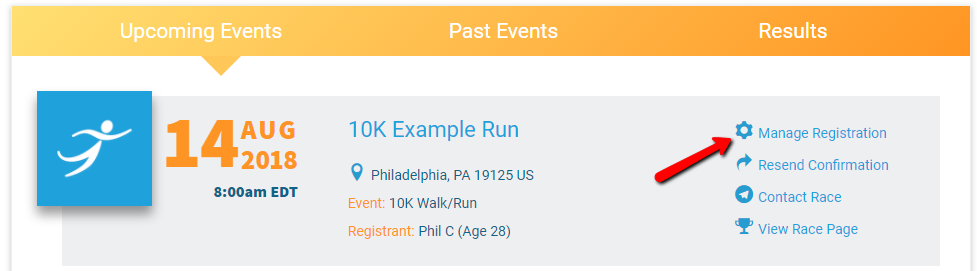
View your events under ‘Upcoming Events’
Click ‘Manage Registration’ next to the registration that you are editing
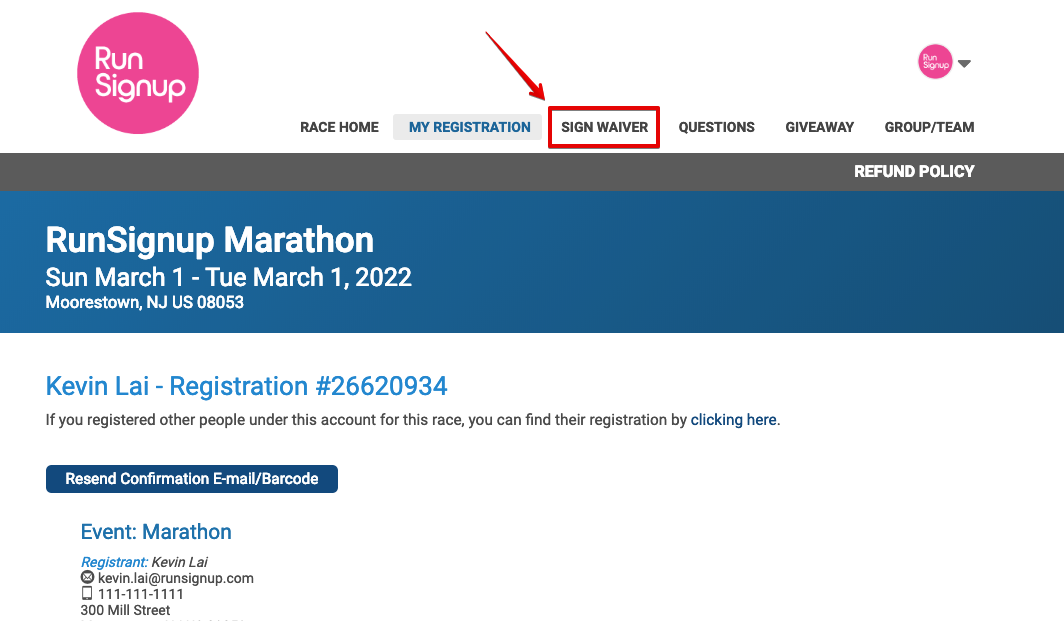
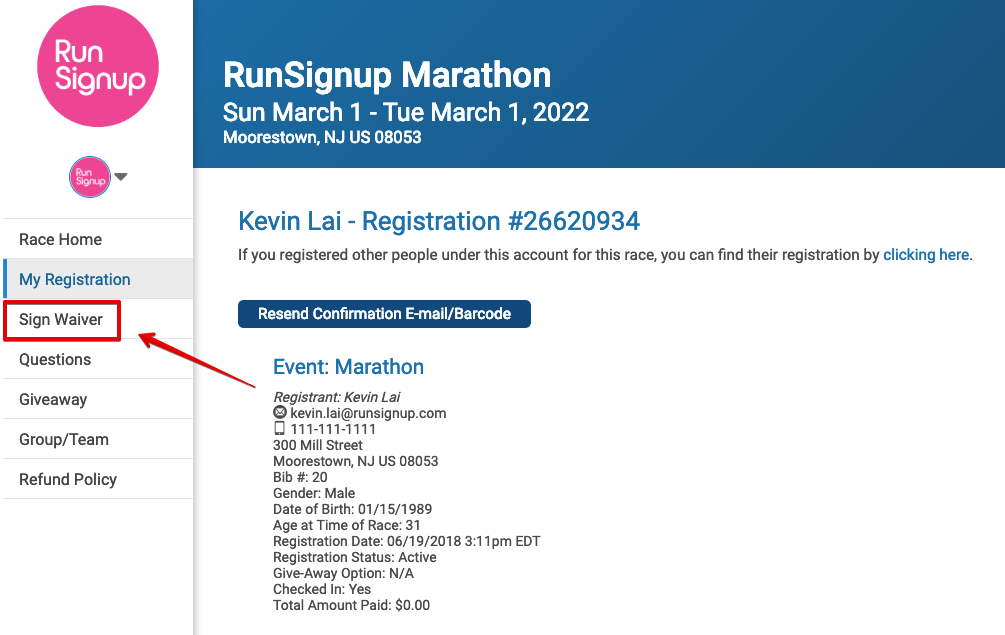
Click on the ‘Sign Waiver’ menu located on either the top OR left side of the Race Page
OPTION TWO: Print & Sign
If you are unable to log into your RunSignUp profile to sign the waiver electronically, please click the button below to download, print and sign. This form MUST be signed and brought to Packet Pick Up in order for a registered athlete to receive an official race packet.